

You’ll find ExPutt uses high-speed cameras and AI to deliver precise stroke data: face angle, putter path, ball speed, and tempo. It also offers customizable slope simulations for technical mastery and global leaderboards.
PUTTR, in contrast, emphasizes tactile pace control and immersive play with a longer mat and a real hole for authentic holing out.
If you want granular analytics and competitive features, pick ExPutt. For arcade-style feel and local fun, choose PUTTR. Keep exploring to discover how each shapes your practice experience.
- Key Takeaways
- Feature Comparison Between ExPutt vs PUTTR
- How to Choose a Putting Simulator Based on Your Practice Goals?
- How ExPutt and PUTTR Track Your Putting Stroke Differently?
- Comparing Putting Green Realism: Mat Length and Hole Design
- Which Putting Simulator Offers Better Data and Analytics?
- Improving Distance and Speed With ExPutt and PUTTR
- How ExPutt and PUTTR Simulate Slope and Break?
- Putting Simulator Price and Value: Comparing ExPutt and PUTTR
- Social Features: Global Leaderboards and Multiplayer Options
- Frequently Asked Questions
- Can Exputt or PUTTR Be Used Outdoors in Various Weather Conditions?
- How Portable Are Exputt and PUTTR for Travel or Golf Trips?
- Do Either Simulators Require Professional Installation or Technical Setup?
- Are There Subscription Fees or Ongoing Costs Beyond the Initial Purchase?
- Can Exputt or PUTTR Integrate With Other Golf Training Apps or Devices?
- Ready to Upgrade? Choosing Between ExPutt and PUTTR
Key Takeaways
- ExPutt offers high-speed camera and AI-driven detailed stroke analytics, including face angle, ball speed, and tempo, surpassing PUTTR’s simpler metrics.
- PUTTR uses a longer physical mat with a real hole, emphasizing authentic pace control and tactile feedback for longer putts.
- ExPutt features adjustable slope and green speed simulations with virtual break visualization, while PUTTR focuses on arcade-style, casual putting fun.
- ExPutt supports global multiplayer online with leaderboards and 9-hole simulated rounds, requiring WiFi; PUTTR offers offline local multiplayer for up to four players.
- ExPutt targets serious skill improvement and competitive play; PUTTR prioritizes casual, social engagement with straightforward, fun gameplay.
Feature Comparison Between ExPutt vs PUTTR
| Feature | ExPutt | PUTTR |
|---|---|---|
| Technology | High-speed cameras + AI analysis | Sensor-based mat with real hole |
| Stroke Data | Face angle, putter path, ball speed, tempo | Distance, pace control, holing success |
| Analytics Depth | Advanced charts, dispersion patterns, session tracking | Basic performance feedback |
| Slope Simulation | Customizable digital slope & stimp settings | Physical mat contours |
| Green Realism | Virtual break visualization | Authentic holing out experience |
| Mat Length | Compact and space-efficient | Longer mat for extended putts |
| Multiplayer | Global leaderboards, online competition | Local multiplayer (offline) |
| Best For | Serious golfers focused on stroke mechanics | Casual players seeking realistic feel |
How to Choose a Putting Simulator Based on Your Practice Goals?
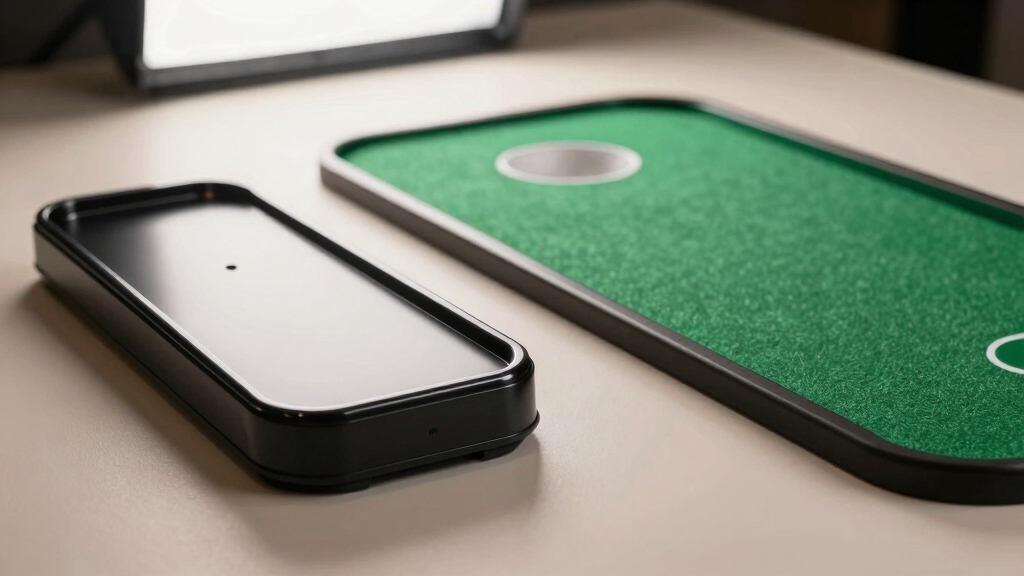
When choosing a putting simulator, you should first clarify whether your priority is detailed stroke mechanics or realistic putting feel. ExPutt and PUTTR cater to distinct practice goals.
If you want precise, data-driven analysis like ball speed, face angle, putter path, and tempo, ExPutt’s high-speed camera and AI deliver thorough metrics with accuracy rivaling TrackMan. Its adjustable green speed and slope simulation enable technical refinement.
Conversely, if your focus is on mastering pace and distance on longer putts, PUTTR’s extended mat with a real hole gives you authentic feedback and a natural roll. This emphasizes feel and arcade-style engagement.
While ExPutt excels in compactness and analytics, PUTTR prioritizes genuine putting dynamics and fun. Your choice hinges on whether you seek in-depth stroke mechanics or immersive, realistic practice.
Both simulators benefit from sensor technology that tracks ball speed, path, and face angle with high precision, ensuring reliable and actionable feedback.
How ExPutt and PUTTR Track Your Putting Stroke Differently?
You’ll notice that ExPutt captures your stroke using high-speed cameras and AI technology. This combination delivers precise metrics like face angle, tempo, and putter path in real time. Pretty cool, right?
On the flip side, we’ve PUTTR. It relies more on its longer mat and actual hole, which helps emphasize pace control and distance accuracy. So, while ExPutt is all about the numbers, PUTTR offers a different kind of feedback that focuses on rhythm and feel.
When you compare their analytics, ExPutt really shines with deeper data visualization and session tracking. But if you’re after a more realistic putting experience, PUTTR brings an arcade-style engagement that’s hard to beat.
It’s interesting how both tools cater to different aspects of your putting game! Additionally, both ExPutt and PUTTR can measure key putting metrics such as ball speed and roll distance to help refine your stroke.
Stroke Data Capture Methods
Although both ExPutt and PUTTR aim to enhance your putting stroke, they capture stroke data using fundamentally different technologies.
ExPutt employs a high-speed camera combined with AI software to analyze your putter path, face angle, ball speed, and tempo in real time.
PUTTR relies on its longer physical mat with a real hole to provide authentic feedback on pace and accuracy, focusing more on the ball’s actual roll and holing out rather than detailed stroke mechanics.
Here’s how their stroke data capture differs:
- ExPutt uses optical sensors to track minute putter movements, delivering precise metrics on stroke dynamics and tempo.
- PUTTR measures ball roll and success via physical interaction with its mat and hole, emphasizing real-world pace control.
- ExPutt’s AI processes data instantly for detailed feedback; PUTTR prioritizes tactile feedback over granular stroke analysis.
For golfers seeking detailed analysis, monitors with putter performance tracking capabilities provide valuable data such as club path, face angle, and impact location to fine-tune the stroke.
Metrics and Analytics Offered
Because ExPutt and PUTTR focus on different aspects of putting performance, their metrics and analytics diverge markedly.
ExPutt delivers detailed stroke data including ball speed, face angle, putter path, launch direction, and tempo, using AI and high-speed cameras for precision comparable to TrackMan.
It offers in-depth session analysis with dispersion charts, face squareness comparisons, and speed consistency over 18-30 putts, emphasizing stroke mechanics and green simulation parameters like slope and stimp.
In contrast, PUTTR concentrates on pace control and realistic feel, tracking putt distance and accuracy primarily through its longer mat and real hole feedback.
While it provides valuable data on pace and holing success, its analytics are less granular than ExPutt’s, favoring practical feedback for longer putts and arcade-style engagement rather than exhaustive biomechanical insights.
Both systems benefit from incorporating data-driven drills into practice to target specific putting weaknesses and enhance overall performance.
Real-Time Tracking Capabilities
Understanding the distinct metrics each system provides sets the stage for examining how ExPutt and PUTTR capture your putting stroke in real time.
ExPutt employs high-speed cameras and AI software to analyze ball speed, putter face angle, and tempo with precision akin to TrackMan data.
PUTTR, on the other hand, focuses on pace control and realistic feedback via its longer mat and actual hole, emphasizing the physical feel over complex data.
Here’s how they differ in real-time tracking:
- Data Capture: ExPutt uses cameras and AI for detailed stroke parameters. PUTTR relies on a sensor-embedded mat detecting ball roll and pace.
- Feedback Type: ExPutt offers numeric analytics instantly. PUTTR provides tactile, visual cues from holing out.
- Stroke Focus: ExPutt targets technical mechanics. PUTTR enhances practical speed control and feel.
Additionally, advanced golf tracking systems use high-speed cameras and radar to capture and analyze multiple parameters simultaneously, providing comprehensive feedback beyond typical putting metrics.
Comparing Putting Green Realism: Mat Length and Hole Design
When evaluating putting green realism, the mat length and hole design play essential roles in simulating authentic putting experiences.
PUTTR’s longer mat allows you to practice extended putts, closely mimicking on-course distances. Its real hole provides tactile feedback on ball entry, enhancing accuracy assessment.
By contrast, ExPutt’s mat is more compact, prioritizing space efficiency over length. However, it incorporates advanced slope simulation and stimp control for varied green speeds and breaks.
Although ExPutt lacks a physical hole, its virtual target system compensates by accurately measuring ball path and pace, relying on AI-driven feedback.
You’ll find PUTTR excels in delivering realistic feel and longer putt practice. ExPutt focuses on technical green conditions and slope variability, offering a more versatile, data-oriented putting surface despite its shorter mat.
For both, choosing putting surfaces with alignment aids and realistic turf can further enhance practice effectiveness and immersion.
Which Putting Simulator Offers Better Data and Analytics?
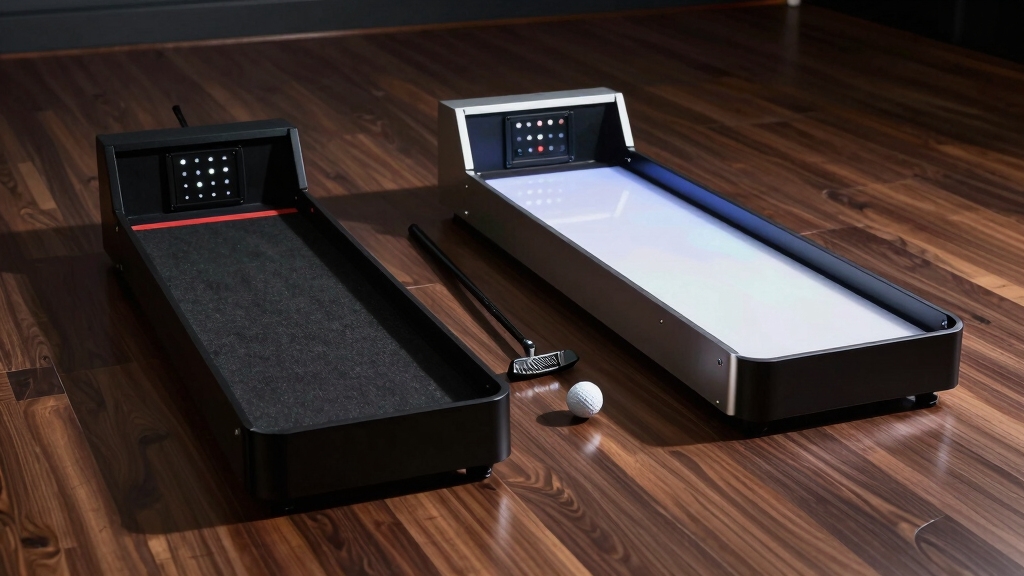
When you’re looking at data accuracy, ExPutt really shines. It uses high-speed cameras and AI to provide metrics that closely align with TrackMan standards. On the other hand, PUTTR leans more towards offering realistic feedback based on actual holing. So, if you’re after precise data, ExPutt might be the way to go.
Now, let’s talk about analytics. ExPutt takes it a step further with features that cover stroke tempo, dispersion patterns, and even slope simulations. This gives you a much deeper understanding of your game compared to PUTTR, which focuses primarily on pace control.
And if you’re into visualization and reporting, ExPutt definitely has the upper hand here. It offers session charts, progress tracking, and global leaderboards, which provide a comprehensive performance analysis. So, if you’re serious about improving your putting game, ExPutt could be the better option for you!
Additionally, devices like the GCQuad highlight how advanced putting data integration can elevate training by combining multiple camera angles and AI-driven analytics for superior feedback.
Data Accuracy Comparison
Although both ExPutt and PUTTR deliver valuable putting data, ExPutt clearly outperforms PUTTR in data accuracy and depth of analytics due to its integration of high-speed cameras and AI software. This technology provides precise real-time measurements of metrics like ball speed, face angle, and putter path.
You’ll notice ExPutt’s data aligns closely with industry standards such as TrackMan, ensuring reliable stroke analysis. PUTTR focuses more on pace and feel, offering less detailed quantitative feedback.
Consider these key accuracy differentiators:
- ExPutt’s AI processes high-speed video to quantify putter face angle within fractions of a degree.
- Ball speed and launch direction are tracked in real time with minimal latency.
- PUTTR emphasizes holistic feedback via its real hole but lacks granular stroke path metrics.
Additionally, similar to how SkyTrak uses a photometric camera system to capture detailed swing data indoors, ExPutt’s high-speed camera technology enables superior measurement precision in controlled environments.
Analytical Features Depth
Because your putting improvement depends heavily on understanding precise stroke mechanics, ExPutt stands out by offering a thorough suite of analytical tools that dive deep into every aspect of your putt.
You get real-time metrics on ball speed, face angle, putter path, launch direction, and tempo, all supported by AI that matches TrackMan-level accuracy.
ExPutt also tracks dispersion patterns and provides session-based charts for progress over 18-30 putts, giving you nuanced insights into consistency and stroke efficiency.
PUTTR, while offering authentic pace control and a real hole for feedback, focuses less on granular stroke analytics and more on overall distance and arcade-style engagement.
In short, if you want detailed biomechanical data and exhaustive performance breakdowns, ExPutt’s analytical depth surpasses PUTTR’s more straightforward, feel-based approach.
Additionally, pairing these simulators with a stable practice surface like Fiberbuilt Golf Mats can enhance consistency and reduce injury risk during training sessions.
Visualization And Reporting
In evaluating visualization and reporting capabilities, ExPutt delivers a more thorough and detailed data presentation compared to PUTTR.
You’ll find ExPutt’s interface offers precise analytics with customizable charts and heat maps that track your progress over multiple sessions.
PUTTR, while visually engaging with its arcade-style graphics, lacks the depth and technical detail ExPutt provides in its reports.
Here’s what sets ExPutt apart:
- Exhaustive session analytics showing ball speed, face angle, and dispersion patterns.
- Interactive heat maps illustrating break severity and putt difficulty on real course greens.
- Progress tracking over 18-30 putts with detailed charts for distance and tempo consistency.
If you want advanced, data-rich visualization that supports deep stroke analysis, ExPutt clearly outperforms PUTTR’s simpler reporting tools.
Additionally, integrating advanced software integration enhances ExPutt’s capability to connect seamlessly with popular golf simulation environments.
Improving Distance and Speed With ExPutt and PUTTR
When you aim to sharpen your distance and speed control in putting, both ExPutt and PUTTR offer distinct technical advantages tailored to different training needs.
ExPutt’s AI-driven feedback pinpoints tempo, ball speed, and launch direction, helping you refine stroke mechanics precisely.
PUTTR’s longer mat and real hole provide authentic pace practice, especially for longer putts, supporting muscle memory development.
| Feature | ExPutt | PUTTR |
|---|---|---|
| Distance Control | Real-time speed & tempo metrics | Real hole for authentic feedback |
| Speed Feedback | AI analysis of launch & speed | Arcade-style pace engagement |
| Setup | Compact, any space with WiFi | Longer mat, extended putt lengths |
| Focus | Stroke mechanics and consistency | Pace control and longer putts |
| Emotional Impact | Data-driven confidence boost | Fun, immersive practice |
Choose ExPutt for precise analytics; opt for PUTTR to build natural pace feel.
How ExPutt and PUTTR Simulate Slope and Break?
Although both ExPutt and PUTTR aim to replicate slope and break realistically, they approach it with different technical methods:
ExPutt uses AI-driven simulations that adjust green slope, stimp, and slant parameters dynamically to mimic real course conditions.
ExPutt’s AI dynamically adjusts slope, stimp, and slant to accurately simulate real green conditions.
PUTTR relies on a physical mat design with built-in contours and subtle gradients that provide tactile feedback as you roll the ball.
When you practice, you’ll notice:
- ExPutt’s digital slope modeling varies break intensity and direction instantly, letting you select real-world green conditions.
- PUTTR’s mat physically tilts and curves, so the ball’s path naturally reflects subtle grade changes.
- ExPutt’s software calculates and visualizes break trajectories, while PUTTR delivers an intuitive, hands-on feel through its surface.
This contrast means ExPutt excels in customizable slope replication, whereas PUTTR prioritizes authentic sensory feedback.
Putting Simulator Price and Value: Comparing ExPutt and PUTTR
Understanding how ExPutt and PUTTR simulate slope and break sets the stage for evaluating their pricing and overall value.
Both simulators come at similar price points, yet you get distinct benefits depending on your focus.
ExPutt offers unmatched data depth with real-time metrics, unlimited green combinations, and session tracking over 30 putts. This justifies its cost if you prioritize stroke mechanics and analytics.
PUTTR matches this price but emphasizes extended mat length and authentic holing out, ideal if you want realistic pace control and longer putts.
While ExPutt’s compact design and validated accuracy deliver superior slope simulation and detailed feedback, PUTTR provides a more arcade-style engagement that’s less technical but highly effective for fun practice.
Ultimately, your choice depends on whether you value thorough analytics or an immersive, realistic putting feel.
Social Features: Global Leaderboards and Multiplayer Options
Plunge into the social features of ExPutt and PUTTR, and you’ll find distinct approaches that enhance competitive and multiplayer experiences.
ExPutt leads with its robust global leaderboards and multiplayer modes, letting you compete worldwide in simulated 9-hole rounds with up to four players.
PUTTR emphasizes local multiplayer fun but lacks extensive global ranking systems.
Here’s how they compare technically:
- ExPutt: Real-time multiplayer with global leaderboards, detailed scoring analytics, and course variety for dynamic competition.
- PUTTR: Supports up to four players locally, focusing on arcade-style engagement without exhaustive online rankings.
- Connectivity: ExPutt requires WiFi for global interaction; PUTTR operates offline for casual multiplayer.
If you want worldwide competition with data-driven insights, ExPutt is your choice.
For casual, social putting, PUTTR fits better.
Frequently Asked Questions
Can Exputt or PUTTR Be Used Outdoors in Various Weather Conditions?
You can technically use both ExPutt and PUTTR outdoors, but neither’s optimized for varied weather.
ExPutt’s compact design requires a TV and WiFi, which get tricky in rain or wind.
PUTTR’s longer mat and real hole might handle mild outdoor use better but won’t withstand moisture or strong wind well.
For consistent data and hardware safety, you’ll want a controlled indoor environment.
Both systems rely on stable conditions for accurate feedback and durability.
How Portable Are Exputt and PUTTR for Travel or Golf Trips?
You know what they say: good things come in small packages. ExPutt is highly portable, with a compact design that fits easily in your golf bag and only needs a TV and WiFi to operate, making it ideal for travel.
PUTTR, however, relies on a longer mat with a real hole, which can be bulkier and less convenient to carry. So, if you prioritize portability for trips, ExPutt’s compact setup gives you more technical convenience on the go.
Do Either Simulators Require Professional Installation or Technical Setup?
Neither ExPutt nor PUTTR requires professional installation or complex technical setup.
You can easily set up ExPutt’s compact system anywhere with a TV and WiFi, using its intuitive AI software.
PUTTR’s longer mat simply rolls out and connects with minimal effort.
Both are designed for user-friendly, plug-and-play use, letting you focus quickly on practice without needing expert assistance or special tools.
Are There Subscription Fees or Ongoing Costs Beyond the Initial Purchase?
You won’t face subscription fees or ongoing costs beyond the initial purchase with either simulator.
Both ExPutt and PUTTR offer full functionality without monthly charges, letting you access practice modes, analytics, and features right away.
ExPutt’s value shines with unlimited green combos and progress tracking included, while PUTTR focuses on realistic putting without extra fees.
This setup guarantees you get robust training tools without surprise expenses down the line.
Can Exputt or PUTTR Integrate With Other Golf Training Apps or Devices?
You won’t find direct integration of ExPutt or PUTTR with other golf training apps or devices yet.
ExPutt focuses heavily on its proprietary AI-driven putting analysis and global leaderboards, while PUTTR emphasizes arcade-style practice without external app connectivity.
If you rely on syncing data across platforms or devices like TrackMan or Garmin, neither system currently supports that.
You’ll manage each system’s data independently for now.
Ready to Upgrade? Choosing Between ExPutt and PUTTR
Choosing between ExPutt and PUTTR is like picking your favorite caddie on the green. Each offers unique insights and precision.
ExPutt excels in detailed stroke analytics and realistic slope simulation. PUTTR impresses with its immersive mat design and interactive leaderboards.
Ultimately, your choice hinges on whether you prioritize advanced data or engaging social features. Both sharpen your game, but understanding their distinct tech nuances guarantees you sink every putt with confidence.