
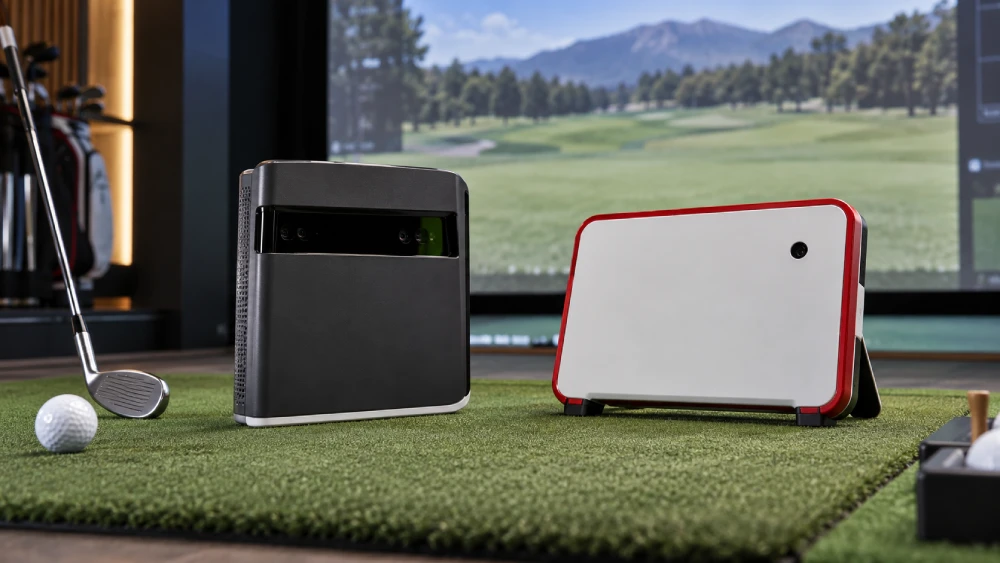
If you want pinpoint indoor ball-flight precision and a compact simulator setup, SkyTrak’s photometric camera excels at spin and launch angle accuracy.
But if you need versatility for both indoor and outdoor use, FlightScope’s radar-based system offers broader club and ball data with strong portability.
SkyTrak suits dedicated simulators; FlightScope supports mobile practice and extensive metrics.
Choosing depends on your environment and data priorities.
Exploring setup, software, and cost differences will clarify which fits your golf game best.
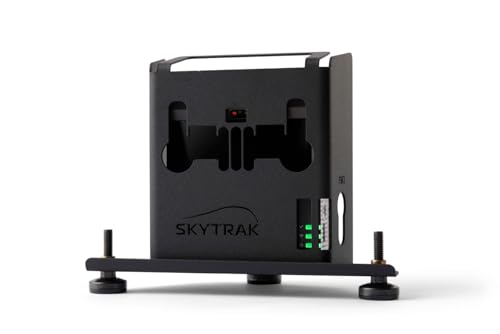
- Compatiable with the Original SkyTrak Launch Monitor ( Not compatiable with the SKYTRAK Plus)
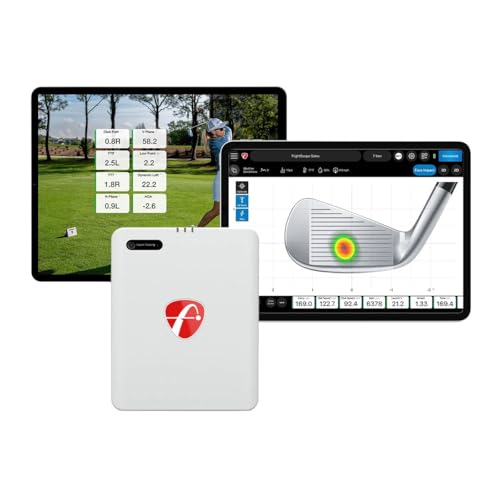
- PORTABLE LAUNCH MONITOR AND SIMULATOR: The FlightScope Mevo Gen2 uses patented FlightScope Fusion…
- PRACTICE WITH PURPOSE: Dial In Your Distance with 18 Full Swing, Chipping and Putting Data…
- AS SEEN ON TV FLIGHTSCOPE TRACER: Witness the full flight path of your ball, from launch to landing…
- Key Takeaways
- Skytrak vs Flightscope: Key Differences in Accuracy, Features, and Performance
- Which Launch Monitor Should You Choose?
- Tracking Technology Differences: SkyTrak vs FlightScope
- Ball and Club Data Metrics: What Each Monitor Measures
- Pricing Comparison of SkyTrak and FlightScope Launch Monitors
- Software and Subscription Options Explained
- Accuracy Comparison: SkyTrak and FlightScope Launch Monitors
- Space and Setup Requirements for Home and Range Use
- Indoor Simulation vs Outdoor Practice Performance
- Portability and Versatility: Which Monitor Moves With You?
- Best User Profiles for SkyTrak and FlightScope Buyers
- Frequently Asked Questions
- Can Skytrak or Flightscope Connect With Third-Party Golf Simulation Software?
- What Is the Typical Battery Life for Flightscope Mevo Models?
- Are There Any Warranty Differences Between Skytrak and Flightscope Products?
- Do Either Skytrak or Flightscope Offer Club Fitting Features?
- How Do Customer Support Experiences Compare Between the Two Brands?
- Final Thoughts on Skytrak and Flightscope Performance
Key Takeaways
- SkyTrak uses photometric camera technology optimized for precise indoor ball-flight and spin data in compact simulator setups.
- FlightScope employs radar and fusion tracking, offering versatile indoor/outdoor use with extensive club and ball metrics.
- SkyTrak excels in fixed indoor realism with minimal space needs; FlightScope is portable, requiring more space but adaptable to multiple environments.
- FlightScope provides broader data coverage, including advanced club metrics and specialty shots like chipping and putting.
- Choosing depends on user needs: SkyTrak suits dedicated indoor simulators; FlightScope fits mobile golfers seeking multi-environment functionality.
Skytrak vs Flightscope: Key Differences in Accuracy, Features, and Performance
| Comparison Factors | SkyTrak | FlightScope |
|---|---|---|
| Tracking Technology | Photometric camera-based tracking, with additional technology in newer models | Doppler radar, with Fusion Tracking on supported models |
| Primary Focus | Indoor simulation and ball-flight accuracy | Indoor and outdoor versatility with detailed shot data |
| Ball Speed Measurement | Approximately ±0.8 mph in the article’s comparison | Approximately ±1.0 mph in the article’s comparison |
| Spin Rate Accuracy | Approximately ±150 RPM in the article’s comparison | Approximately ±200 RPM in the article’s comparison |
| Carry Distance Accuracy | Approximately ±1.5 yards in the article’s comparison | Approximately ±2.0 yards in the article’s comparison |
| Ball Flight Data | Carry distance, ball speed, spin rate, launch angle, and shot shape | Carry distance, ball speed, spin axis, apex height, and flight time |
| Club Data | Club speed, club path, face angle, and smash factor on supported models | Club speed, angle of attack, spin loft, and additional club metrics |
| Indoor Performance | Well suited to compact indoor simulator spaces | Effective indoors with adequate tracking distance |
| Outdoor Performance | Outdoor practice capabilities vary by model and setup | Strong outdoor versatility through radar tracking |
| Space Requirements | Compact side-of-ball placement | Mevo Gen2 requires approximately 16 feet of total depth, according to the article |
| Golf Simulation | Indoor simulator integration and practice modes | Simulator compatibility and extensive shot analysis |
| Software Features | Simulation-focused software ecosystem | Data-focused practice software and optional upgrades |
| Subscription Access | Advanced simulation features may require a subscription | Core features may be available without mandatory subscriptions on certain models |
| Portability | Compact device, especially suited to fixed indoor setups | Portable design for driving ranges and home practice |
| Short-Game Analysis | Model-dependent short-game features | Chipping and putting analysis on supported models |
| Best For | Golfers prioritizing home simulation and compact indoor training | Golfers seeking portable training and extensive swing metrics |
Which Launch Monitor Should You Choose?
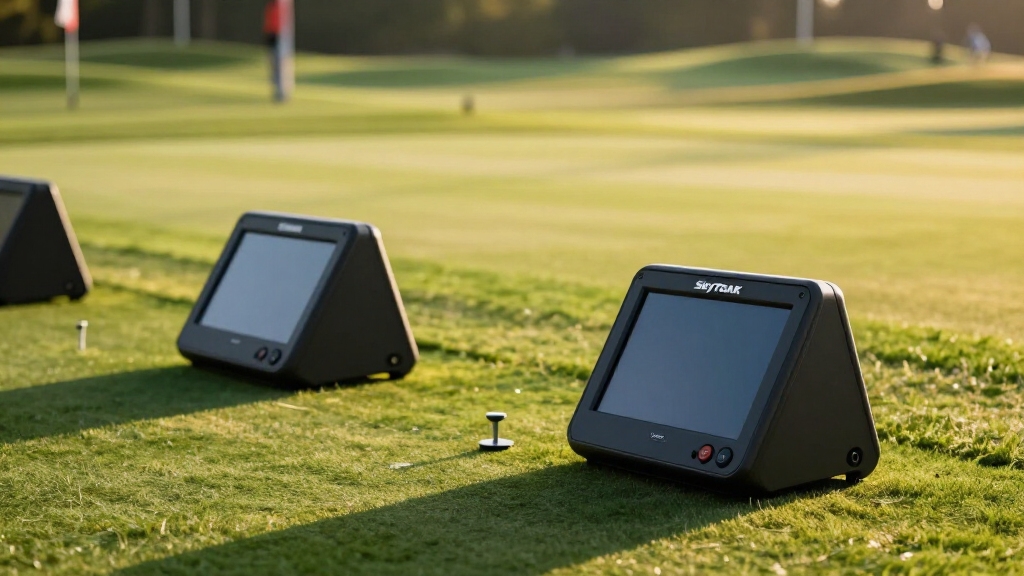
How do you decide between SkyTrak and FlightScope for your golf launch monitor needs?
If you prioritize a compact, indoor-focused setup, SkyTrak’s photometric camera system excels in delivering precise ball-flight data and simulator integration. It fits neatly beside the ball, ideal for home simulators.
Conversely, FlightScope’s radar-based technology offers broader versatility, supporting indoor and outdoor use with portability and an extensive parameter suite, including club data and putting analysis.
Pricing also differs: SkyTrak generally commands a higher upfront cost and subscription fees. FlightScope provides competitive pricing with some models requiring no mandatory software subscription.
Accuracy is comparable, with SkyTrak slightly favored indoors for spin precision. FlightScope is praised for value and adaptability.
Your choice hinges on whether you need dedicated indoor realism or flexible, multi-environment functionality. Additionally, FlightScope’s radar technology enables longer tracking ranges and outdoor durability, making it well-suited for varied practice environments.
Tracking Technology Differences: SkyTrak vs FlightScope
You’ll see that SkyTrak uses photometric, camera-based measurements to capture high-speed images of the ball right after impact. This setup is perfect for indoor simulations.
On the flip side, FlightScope employs radar technology, and some of its models even integrate image processing. This makes FlightScope quite versatile, suitable for both indoor and outdoor settings.
Similar to FlightScope, some devices combine radar and camera technology to offer comprehensive ball flight data outdoors.
Measurement Method Comparison
Although both SkyTrak and FlightScope serve as advanced golf launch monitors, their underlying measurement technologies differ fundamentally.
SkyTrak relies on photometric, camera-based systems to capture high-speed images of the ball immediately after impact.
In contrast, FlightScope employs radar technology, with newer models integrating Fusion Tracking that combines radar data with image processing.
This means SkyTrak excels in precise ball-flight metrics like spin and launch angle by analyzing detailed imagery right after contact.
FlightScope’s radar enables broader tracking, capturing extensive club and ball data over longer flight paths, enhancing versatility.
Fusion Tracking further refines parameter accuracy by blending radar and image inputs.
So, if you want pinpoint indoor ball spin data, SkyTrak’s photometric method leads.
If you need exhaustive, multi-environment tracking, FlightScope’s radar-based fusion offers a wider scope.
Additionally, SkyTrak ST MAX features dual Doppler radar technology, enhancing data accuracy with photometric cameras for tour-level precision.
Use Case Technology Mapping
Because SkyTrak and FlightScope utilize fundamentally different tracking technologies, their ideal use cases diverge markedly. SkyTrak excels in compact indoor simulators, capturing detailed ball-flight data with high spin accuracy. FlightScope’s radar fusion supports versatile indoor and outdoor use, offering broader club and shot metrics. Your choice depends on environment and data needs. Proper calibration and consistent setup are essential to maintain measurement accuracy and reliable swing analysis with both systems.
| Use Case | SkyTrak | FlightScope |
|---|---|---|
| Primary Environment | Indoor simulators | Indoor & outdoor |
| Tracking Technology | High-speed camera imaging | Radar + image fusion |
| Data Focus | Ball flight & spin metrics | Extended club & shot data |
| Space Requirements | Minimal, near ball setup | Requires ~16 ft depth |
| User Profile | Dedicated indoor practice | Portable multi-environment use |
Ball and Club Data Metrics: What Each Monitor Measures
SkyTrak really zeroes in on the essentials when it comes to ball flight metrics. You can expect to see key details like carry distance, spin rates, and launch angles. They do offer some club data, but you’ll find that mostly in their higher-end models.
On the other hand, FlightScope takes a different approach. They provide a much wider range of over 17 parameters. This includes detailed club metrics like angle of attack and spin loft, along with chipping and putting data in some of their versions. So, when you compare the two, it’s clear that SkyTrak excels in ball-flight precision, while FlightScope shines with its extensive coverage of club data. For consistent and accurate feedback, regular calibration procedures are essential with both monitors to maintain data reliability.
Ball Flight Metrics
Explore how SkyTrak and FlightScope capture and analyze ball flight data to sharpen your golf performance. SkyTrak uses photometric cameras to measure precise ball metrics like carry distance, spin rates, launch angle, and shot shape.
FlightScope’s radar and Fusion Tracking deliver broader parameters including apex height, flight time, and spin axis. Both offer high accuracy, but FlightScope provides more raw data variety. SkyTrak excels indoors with spin precision.
| Metric | SkyTrak | FlightScope |
|---|---|---|
| Carry Distance | ±1.5 yards accuracy | ±2.0 yards accuracy |
| Ball Speed | ±0.8 mph | ±1.0 mph |
| Spin Rate | ±150 RPM | ±200 RPM |
| Launch Angle | Photometric camera-based | Radar + image fusion |
| Shot Shape | Detailed shape analysis | Includes apex & flight time |
Both systems empower your game with reliable, detailed ball flight insights. For golfers seeking real-time swing data with audio and visual feedback, devices using Doppler Radar technology offer an effective way to improve swing metrics instantly.
Club Data Coverage
While ball flight metrics provide valuable insights, understanding club data deepens your analysis of each swing’s mechanics.
SkyTrak+, leveraging photometric technology, measures clubhead speed, club path, face angle, face-to-path, and smash factor. This gives you precise feedback on club impact dynamics.
FlightScope, especially with its radar and Fusion Tracking, offers a broader range of club parameters—over 17— including angle of attack, spin loft, and club speed. Some models even provide chipping and putting data.
If you need detailed clubface and path analysis indoors, SkyTrak+ excels with its camera-based accuracy.
However, if you want all-encompassing feedback across various environments, FlightScope’s extensive club data, including versatile full-swing and short game metrics, suits you better.
Both deliver strong club data, but your choice depends on whether you value depth or breadth in club measurement.
FlightScope’s radar technology also provides continuous tracking and performs reliably in rain, fog, and low light, making it a robust option for outdoor play conditions.
Parameter Variety Comparison
Because understanding the full scope of ball and club data is essential for optimizing your game, comparing the parameter variety of SkyTrak and FlightScope reveals distinct strengths.
SkyTrak excels in core ball-flight data with metrics like carry distance and spin. FlightScope offers broader coverage with 17+ parameters, including angle of attack and spin axis. FlightScope also tracks chipping and putting, enhancing versatility.
| Parameter Type | SkyTrak Metrics | FlightScope Metrics |
|---|---|---|
| Ball Data | Carry Distance, Ball Speed, Spin | Carry Distance, Apex Height, Flight Time |
| Club Data | Clubhead Speed, Face Angle | Club Speed, Angle of Attack, Spin Loft |
| Specialty Shots | Limited | Chipping, Putting Parameters |
FlightScope’s ability to capture detailed clubface data and advanced impact parameters provides enhanced insights beyond basic ball metrics, improving shot analysis and fitting accuracy with independent club and ball measurement.
Pricing Comparison of SkyTrak and FlightScope Launch Monitors
How do SkyTrak and FlightScope compare when it comes to pricing?
SkyTrak ST MAX retails around $2,195 on sale, with regular prices nearing $2,995. FlightScope Mevo Gen2 comes in lower at about $1,299.
FlightScope Mevo+ models generally range from $1,899 to $1,999. SkyTrak’s pricing varies more, from roughly $1,995 up to $3,095 depending on the package and model.
Importantly, SkyTrak often requires a subscription for software access, adding to the overall cost. Certain FlightScope models, like Mevo Gen2, typically don’t mandate subscriptions.
If budget and subscription fees matter, FlightScope offers a more affordable entry point, especially for flexible use.
SkyTrak’s higher cost reflects its indoor simulation focus and photometric technology, while FlightScope emphasizes versatility and portability at a lower price.
Additionally, FlightScope models provide real-time data points on an onboard display, allowing practice without the need for a mobile device.
Software and Subscription Options Explained
So, when you look at SkyTrak, keep in mind that it does require a subscription to unlock its full software suite. This includes all those cool simulation and practice modes. While that can enhance your experience, it does mean you’ll need to factor in that extra cost.
On the flip side, FlightScope offers some models that don’t come with a mandatory subscription. This provides a bit more flexibility for users. However, you might find that some of the features aren’t as integrated right out of the box.
In the end, it’s really about comparing their software capabilities and subscription structures. This way, you can figure out which system fits your training needs and budget best! Additionally, considering devices with multiple measurement modes can add versatility to your practice and improve your overall experience.
Software Features Comparison
When evaluating SkyTrak and FlightScope, understanding their software ecosystems and subscription models is essential to maximize your launch monitor’s capabilities.
SkyTrak emphasizes an immersive simulation experience, offering detailed ball-flight data and seamless integration with popular golf simulators via a subscription.
FlightScope provides broader raw data access and advanced club metrics without mandatory subscriptions on certain models, focusing on versatility.
Key differences include:
SkyTrak: Subscription required for full simulator features and practice modes. It has a strong simulator software ecosystem.
FlightScope: No mandatory subscription on some models. The software supports extensive shot analysis, including chipping and putting.
Data Integration: SkyTrak prioritizes simulator realism.
FlightScope offers exhaustive data suited for both indoor and outdoor use.
Choosing depends on whether you prioritize immersive simulation or broader, flexible data analysis.
Subscription Cost Differences
Although both SkyTrak and FlightScope offer powerful software platforms, their subscription models and associated costs differ markedly, impacting your overall investment.
SkyTrak requires a mandatory subscription to access its full software suite, including simulation modes and practice features, with annual fees typically around $99 to $199. This ongoing cost factors into your budget beyond the initial hardware purchase.
FlightScope, on the other hand, often provides core functionality without mandatory subscriptions, especially in models like Mevo Gen2, reducing recurring expenses.
However, FlightScope offers optional software upgrades and premium packages that add advanced analytics and features for an additional cost.
If you prioritize full-featured indoor simulation, SkyTrak’s subscription is essential.
If you want flexible, subscription-free usage with scalable software options, FlightScope might better fit your preferences.
Accuracy Comparison: SkyTrak and FlightScope Launch Monitors
While both SkyTrak and FlightScope deliver impressive accuracy, their performance nuances cater to different user priorities.
SkyTrak, using photometric technology, excels in indoor ball-flight data, capturing spin rate within ±150 RPM and carry distance within 1.5 yards compared to TrackMan.
FlightScope’s radar and Fusion Tracking provide broader parameter coverage, with ball speed accuracy around ±1.0 mph and carry distance within 2 yards, favoring versatility across environments.
SkyTrak offers superior spin precision indoors, critical for simulation realism.
FlightScope tracks 17+ parameters including chipping and putting, expanding practice scope.
SkyTrak’s camera-based system focuses on core ball-flight metrics.
FlightScope emphasizes multi-environment adaptability with extensive club data.
You’ll choose based on whether you prioritize indoor precision or versatile, extensive data outdoors.
Space and Setup Requirements for Home and Range Use
How much space do you really need to set up a SkyTrak or FlightScope launch monitor effectively?
SkyTrak excels in compact indoor setups, requiring minimal room depth since it sits right beside the ball. This makes it ideal for dedicated home simulators. It doesn’t specify strict space requirements, focusing on simulator integration rather than open flight paths.
FlightScope Mevo Gen2, however, demands about 8 feet behind the ball plus an additional 8 feet of ball flight space. This totals roughly 16 feet, making it less suited for tight indoor bays but more versatile for driving ranges or outdoor practice.
If your priority is an indoor, space-efficient setup, SkyTrak fits better. If you want portability with both indoor and outdoor use, FlightScope’s radar-based system offers greater flexibility, albeit with larger space needs.
Indoor Simulation vs Outdoor Practice Performance
Choosing between SkyTrak and FlightScope often comes down to how and where you plan to use the monitor.
SkyTrak excels indoors, leveraging photometric camera-based technology for precise ball-flight data. This makes it ideal for realistic simulator setups.
FlightScope’s radar and Fusion Tracking suit both indoor and outdoor environments. It captures thorough club and ball metrics even in open ranges.
SkyTrak provides highly accurate spin and launch data indoors with minimal space requirements.
FlightScope offers broader parameter coverage and adapts well to outdoor practice, tracking full swings, chips, and putts.
FlightScope demands more room indoors but delivers versatility for range and on-course use.
If you seek dedicated indoor simulation, SkyTrak’s precision shines. For flexible performance across environments, FlightScope stands out.
Portability and Versatility: Which Monitor Moves With You?
When you take your golf training on the road, portability becomes a critical factor in selecting a launch monitor.
FlightScope Mevo Gen2 excels here; it’s compact, radar-based, and built for seamless indoor and outdoor use, requiring roughly 16 feet of space for accurate readings.
Its radar tech enables you to practice on driving ranges without setup hassles.
SkyTrak, while highly space-efficient indoors, relies on camera-based photometric technology. This demands a controlled environment beside the ball and less room depth but isn’t optimized for outdoor mobility.
So, if you want a monitor that moves with you, FlightScope’s versatile radar system provides broader usability across environments.
SkyTrak, meanwhile, shines in fixed indoor setups, offering detailed ball-flight data but limited portability and outdoor adaptability.
Best User Profiles for SkyTrak and FlightScope Buyers
Understanding which launch monitor fits your needs starts with identifying your typical practice environment and training goals. If you mainly train indoors and want accurate ball-flight data with a compact setup, SkyTrak’s photometric technology suits you best.
Conversely, if you need a versatile device for indoor and outdoor use, FlightScope’s radar and Fusion Tracking offer broader parameter coverage and portability.
Consider these profiles:
Golfers building a dedicated indoor simulator favor SkyTrak for precise spin and carry data.
Players seeking one device for range, outdoor, and indoor use lean toward FlightScope for flexibility.
Those prioritizing club data and multi-shot parameters may prefer FlightScope’s extensive metrics.
Choose SkyTrak for indoor realism; go with FlightScope for all-around adaptability and data breadth.
Frequently Asked Questions
Can Skytrak or Flightscope Connect With Third-Party Golf Simulation Software?
Yes, both SkyTrak and FlightScope can connect with third-party golf simulation software, but their compatibility varies.
SkyTrak integrates seamlessly with many popular simulators like E6, The Golf Club, and TGC 2019, leveraging its photometric data for realistic ball flight.
FlightScope, using radar data, supports connections with various platforms but often requires specific software versions or subscriptions.
You’ll find SkyTrak typically offers broader and more straightforward simulator compatibility for indoor setups.
What Is the Typical Battery Life for Flightscope Mevo Models?
The typical battery life for FlightScope Mevo models ranges around 4 to 5 hours of continuous use, depending on the specific model and usage conditions.
Mevo Gen2 and Mevo+ both offer similar endurance, which suits practice sessions without frequent recharging.
Compared to competitors, this battery duration balances portability and performance.
This allows you to use the device indoors or on the range without being tethered to power for most standard rounds or training sessions.
Are There Any Warranty Differences Between Skytrak and Flightscope Products?
When you unwrap your new launch monitor, it’s like planting a seed for performance peace of mind.
SkyTrak generally offers a standard one-year limited warranty covering defects, reflecting confidence in its photometric tech’s durability.
FlightScope typically provides a similar one-year warranty but often adds options for extended coverage or protection plans, especially for portable models.
You should check specific model details, as warranty terms can vary by region and retailer, ensuring your investment stays nurtured.
Do Either Skytrak or Flightscope Offer Club Fitting Features?
Yes, both SkyTrak and FlightScope offer club fitting features, but with different focuses.
SkyTrak+ models provide detailed club metrics like clubhead speed, smash factor, club path, and face angle. This helps you analyze your swing for fitting.
FlightScope Mevo+ goes further, tracking over 17 parameters including angle of attack and spin loft. It also includes chipping and putting data, giving you broader insights to optimize club selection and performance during fittings.
How Do Customer Support Experiences Compare Between the Two Brands?
You’ll find SkyTrak offers responsive customer support with detailed online resources, live chat, and phone assistance. This reflects their premium pricing and subscription model.
FlightScope’s support is generally solid but varies by retailer. It places less emphasis on direct manufacturer interaction and more on community forums and dealer networks.
If you value consistent, hands-on support with software integration help, SkyTrak edges ahead. FlightScope suits users comfortable with more self-service options.
Final Thoughts on Skytrak and Flightscope Performance
Choosing between SkyTrak and FlightScope boils down to your priorities: SkyTrak excels indoors with affordable precision, while FlightScope dominates outdoor versatility and advanced metrics.
Both offer impressive tracking tech, but your space, budget, and data needs will tip the scale. If portability and detailed club data matter, FlightScope wins.
If you want cost-effective simulation at home, SkyTrak’s your go-to. In the end, each launch monitor matches distinct golfer profiles perfectly.
- Compatiable with the Original SkyTrak Launch Monitor ( Not compatiable with the SKYTRAK Plus)
- PORTABLE LAUNCH MONITOR AND SIMULATOR: The FlightScope Mevo Gen2 uses patented FlightScope Fusion…
- PRACTICE WITH PURPOSE: Dial In Your Distance with 18 Full Swing, Chipping and Putting Data…
- AS SEEN ON TV FLIGHTSCOPE TRACER: Witness the full flight path of your ball, from launch to landing…
Last update on 2026-10-21 / Affiliate links / Images from Amazon Product Advertising API